
Photocopier Basics
What Is a Multifunction Photocopier? Functions, Parts and Uses
A multifunction photocopier (MFP) is one office machine that prints, copies and scans, and often faxes, over your network. This guide explains what it does, how it differs from a printer or a basic copier, and how to pick the right one.
By Innovative Infotech5 min readUpdated September 2026

Key takeaways
- An MFP prints, copies and scans in one machine. Many models add fax, and most connect to the office network.
- Scanned pages can go straight to email, a shared folder, a USB stick or the cloud.
- Choose A4 for small offices and A3 if you copy larger paper or print in higher volumes.
What Is a Multifunction Photocopier?
A multifunction photocopier, also called a multifunction printer or MFP, combines several office machines in one. It prints from computers and phones, copies paper originals, scans documents into digital files and, on many models, sends and receives fax.
Almost every office photocopier sold today is a multifunction machine. When people in India ask for a "xerox machine", this is usually what they mean: a networked copier that does far more than make copies.
What a Multifunction Photocopier Can Do
- Print: from office computers over the network, and from phones through apps such as AirPrint and Mopria on supported models.
- Copy: single pages or stacks of originals, one-sided or two-sided, with options to enlarge, reduce and sort.
- Scan: to email, to a shared folder on your network, to a USB drive or to cloud storage, usually as PDF or JPEG files.
- Fax: built in on some models, such as the Canon imageRUNNER 1643iF II and the Kyocera ECOSYS MA4000fx, and optional on many others.
- Store and send: higher-end models can hold documents on internal storage and send them to several destinations at once.
The Main Parts of a Multifunction Photocopier
Scanner and document feeder
The glass platen on top handles books and single sheets. The automatic document feeder (ADF) above it pulls a stack of originals through for copying and scanning. A single-pass duplex feeder reads both sides of a page at once, which is much faster than a reversing feeder that turns each page over. The Canon imageRUNNER 1643i II, for example, scans up to 70 images per minute two-sided with its single-pass feeder.
Print engine
Office MFPs use laser or LED technology. A drum, toner and a fuser form the image and fix it to paper. Our guide on how a photocopier works explains each step.
Paper trays and output
Standard cassettes hold 250 to 550 sheets each, with a bypass tray for envelopes, labels and thicker paper. Offices that print a lot can add extra cassettes or a high-capacity feeder.
Control panel, storage and network
A touchscreen runs the machine. Inside, memory and storage hold print jobs and scanned files, and a network port or Wi-Fi connects the MFP to your office.
Finisher (optional)
Many A3 models accept a finisher that staples, punches holes or makes booklets, which saves time on reports and training material.
Multifunction Photocopier vs Printer vs Basic Copier
| Feature | Multifunction photocopier | Office printer | Basic copier |
|---|---|---|---|
| Yes | Yes | Sometimes | |
| Copy | Yes | No | Yes |
| Scan to email or folder | Yes | No | Rarely |
| Fax | Built in or optional | No | No |
| Network sharing | Yes | Yes | Limited |
| Best for | Most offices | Print-only desks | Copy counters with no network needs |
A4 and A3 Multifunction Photocopiers
A4 MFPs are compact and cost less. They suit small offices, clinics and reception desks that print mostly A4 documents. See our A4 all-in-one printers and copiers.
A3 MFPs take A3 and A4 paper, are usually built for higher volumes and accept more trays and finishers. They suit offices that copy drawings, charts, ledgers or legal papers. See our A3 photocopiers.
Why Offices Choose a Multifunction Photocopier
- One machine instead of three or four, which saves floor space and power points.
- One service contract and one set of consumables to manage.
- Faster paperwork: scan a signed document and email it in seconds.
- Security features on many models, such as user login, department codes and secure print that releases a job only at the machine.
- Usage control: department codes show who prints how much, and colour can be restricted on colour models.
How to Choose the Right Multifunction Photocopier
- Estimate how many pages you print and copy each month.
- Decide between A4 and A3, and between colour and black & white. Read colour vs black & white copiers.
- Match the print speed to your busiest periods.
- Check the document feeder and scan speed if you scan a lot.
- List the features you need, such as Wi-Fi, fax or a finisher, and skip the ones you will not use.
Our guide to key copier specifications covers each of these in detail. You can also compare models and prices on the photocopier price list.
Not sure which MFP fits?
Send us your monthly volume, paper size and colour needs on WhatsApp. We will suggest a model and send the price, or offer it on monthly rent.
What Is a Multifunction Photocopier: FAQs
Is a multifunction printer the same as a photocopier?
Most modern office photocopiers are multifunction printers. They copy, print and scan, and many also fax. The terms are often used for the same machine.
Can a multifunction photocopier scan to email?
Yes. Networked MFPs can scan documents and send them straight to an email address, a shared folder or cloud storage.
Do all multifunction photocopiers have fax?
No. Some models include fax as standard and many offer it as an option. Check the specifications of the model before you buy.
What is the difference between an A3 and an A4 multifunction photocopier?
An A4 MFP handles paper up to A4 and is smaller and cheaper. An A3 MFP also handles A3 paper and is usually built for higher monthly volumes.
More Photocopier Guides

How Does a Photocopier Work?
The six steps of xerography, from charging the drum to fusing toner onto paper.
Photocopier Rental vs Buying
Upfront cost, monthly cost, service and ownership, side by side.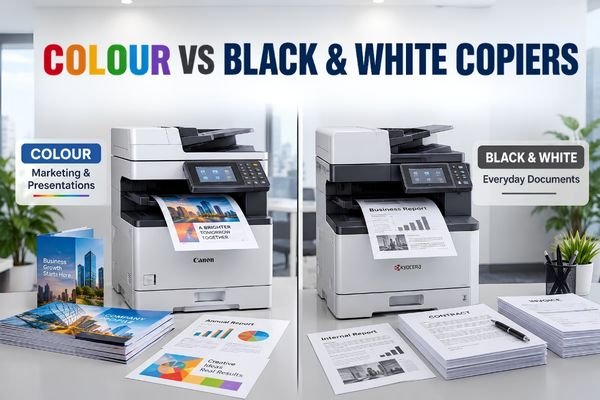
Colour vs Black & White Copiers
Running costs, prices and which offices need colour.
Talk to Our Photocopier Team
Tell us how many pages you print each month, the paper size and if you need colour. We will suggest a machine, a rental plan or a repair, and send you the price.