
Photocopier Basics
How Does a Photocopier Work? The Xerography Process Explained
A photocopier uses light, static electricity, toner and heat to reproduce a page. The process is called xerography. Here is what happens inside the machine, step by step, and which parts do the work.
By Innovative Infotech4 min readUpdated September 2026

Key takeaways
- Photocopiers use xerography: a charged drum, light, toner and heat.
- Six steps make every copy: charge, expose, develop, transfer, fuse and clean.
- Worn drums, developers and fusers cause most print quality problems.
The Short Answer
A photocopier places an electric charge on a light-sensitive drum. Light then draws the image of your page onto the drum by removing the charge where the page is white. Toner sticks only to the charged areas, is transferred onto paper, and is melted into the paper by a heated fuser. The drum is cleaned and the cycle repeats for the next page.
A Brief History of Xerography
American inventor Chester Carlson made the first xerographic copy in 1938. The word comes from Greek words meaning "dry writing", because the process uses dry toner rather than liquid ink. The first automatic office copier based on it, the Xerox 914, went on sale in 1959. That is why many people in India still call any photocopier a "xerox machine".
Step by Step: How a Photocopier Makes a Copy
1. Charging
The drum, a cylinder coated with a photoconductive material, receives a uniform static charge from a charge roller or a thin corona wire. A photoconductor holds a charge in the dark and loses it where light falls on it.
2. Exposure
In a digital copier, the scanner first reads your original with a sensor and turns it into data. A laser or a row of LEDs then shines onto the drum, discharging the areas that should stay white. The charged areas left behind form an invisible copy of your page, called the latent image.
3. Developing
The developer unit brings toner close to the drum. Toner is a fine powder of plastic and pigment carrying its own charge, so it is attracted only to the charged image areas. Many copiers mix toner with a magnetic carrier called developer to deliver it evenly.
4. Transfer
A sheet of paper passes the drum. A transfer roller gives the paper a stronger charge than the drum, pulling the toner image across onto the paper. Colour machines usually build the four colours onto a transfer belt first and then move the full image to the paper in one go.
5. Fusing
The toner is still loose powder at this stage. The fuser unit, a pair of heated rollers, presses the paper and melts the toner into its fibres. That is why fresh copies come out warm.
6. Cleaning
A cleaning blade scrapes leftover toner off the drum into a waste container, and the drum is neutralised ready for the next page.
How Colour Photocopiers Are Different
A colour copier repeats the same process for four toners: cyan, magenta, yellow and black (CMYK). Most office colour machines have four imaging stations side by side, so they can print colour at close to the same speed as black & white. Each colour page uses several toners, which is one reason colour pages cost more. Read colour vs black & white copiers for the full comparison.
Analog vs Digital Photocopiers
Older analog copiers used mirrors and lenses to project light from the original straight onto the drum. Digital copiers scan the page first, which is what lets them print from computers, scan to email, store documents and make many copies from a single scan. Almost every office copier sold today is digital and multifunction. See what a multifunction photocopier is.
The Parts That Wear Out, and the Signs to Watch For
| Part | What it does | Signs it needs attention |
|---|---|---|
| Drum unit | Holds the image before transfer | Lines, spots or a grey background on every page |
| Developer unit | Delivers toner to the drum | Light, patchy or uneven print |
| Fuser unit | Melts toner into the paper | Smudged print, toner that rubs off, creased paper |
| Feed rollers | Pull paper through the machine | Jams and double feeds |
| Toner cartridge | Supplies toner | Faint copies or a toner warning |
Seeing one of these problems?
Send us the model and a photo of a bad copy. Our engineers can tell you whether it needs a part or a repair visit.
How Does a Photocopier Work: FAQs
Why is it called a xerox machine?
Xerox made the first automatic office copier using xerography, the Xerox 914, in 1959. The brand name became a common word for photocopying, especially in India.
Does a photocopier use ink?
No. Office photocopiers use toner, a dry powder that is melted onto the paper by the fuser. Inkjet printers use liquid ink.
Why are copies warm when they come out?
The fuser uses heated rollers to melt toner into the paper, so pages leave the machine warm.
How long does a photocopier drum last?
It depends on the model and how much you print. Manufacturers rate drum life in pages, and the machine usually shows a warning when the drum is near the end of its life.
More Photocopier Guides

What Is a Multifunction Photocopier?
What an MFP does, its main parts and how it compares with a printer or a basic copier.
Photocopier Rental vs Buying
Upfront cost, monthly cost, service and ownership, side by side.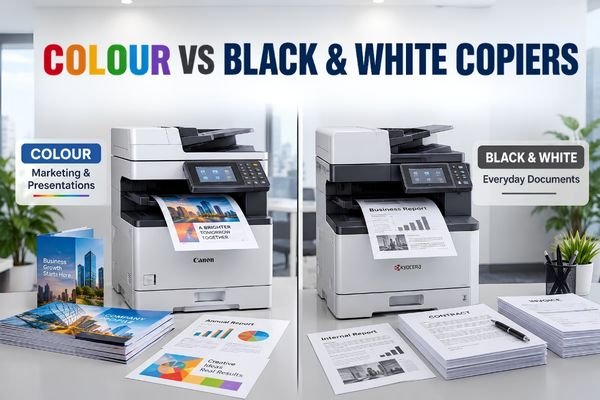
Colour vs Black & White Copiers
Running costs, prices and which offices need colour.
Talk to Our Photocopier Team
Tell us how many pages you print each month, the paper size and if you need colour. We will suggest a machine, a rental plan or a repair, and send you the price.